
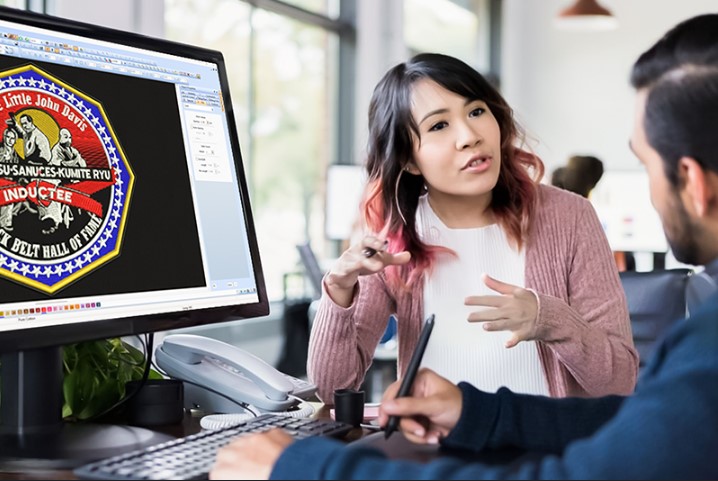
If you work with Brother, Baby Lock, or Bernina embroidery machines, you already know how important it is to have clean and precise PES files. And that’s exactly where a PES File Converter becomes essential. Whether you’re turning a simple image, detailed logo, or vector artwork into a stitch-ready design, using the right conversion method makes all the difference in quality, thread count, stitch density, and how smoothly your machine runs.
In this guide, we’ll break down everything you need to know about converting designs to PES format: what it is, why it matters, how professionals do it, and why choosing the right digitizing service can save you tons of time and frustration.
What Is a PES File? Understanding the Format
Before diving into conversion, let’s make sure you know what the PES file format actually contains.
A PES file is a stitch-based embroidery format used primarily by:
- Brother embroidery machines
- Baby Lock embroidery machines
- Bernina’s compatible models
A PES file includes:
- Stitch paths
- Thread colors
- Jump stitches
- Trim commands
- Machine instructions
- Appliqué steps
- Sequencing information
This isn’t just a “picture” like JPG or PNG. It’s a complete set of machine commands that tell your embroidery machine exactly how to stitch your design.
That’s why converting to PES isn’t the same as simply “saving as PES.” It requires embroidery digitizing, which is the art of turning artwork into stitches.
Why a PES File Converter Isn’t Just a Tool It’s a Digitizing Process
A common misconception is that a simple online tool can convert any image into a flawless PES file. In reality:
- A converter cannot create clean stitches automatically
- It cannot decide stitch types (satin, fill, run)
- It cannot adjust density or pull compensation
- It cannot handle details smaller than needle width
- It cannot optimize for fabric type
A professional PES conversion involves:
Manual digitizing
Each area is assigned the right stitch type and pattern.
Density adjustment
This ensures optimum coverage without thread breaks.
Underlay stitching
Makes the top stitches clean, smooth, and perfectly aligned.
Pathing optimization
Reduces jumps, trims, and unnecessary machine stops.
Color matching
Assigns the correct thread colors for Brother/Baby Lock machines.
That’s why a professional PES file converter is actually a skilled digitizer not just software.
Why People Need a PES File Conversion Service
Whether you’re a shop owner, hobbyist, or apparel decorator, converting your artwork to PES format is a must when working with Brother-compatible machines.
Here are common scenarios where PES conversion becomes essential:
1. For Logo Embroidery
Businesses, uniforms, caps, jackets, and promotional items require clean PES files to stitch smoothly.
2. For Custom Gifts
Names, quotes, monograms, and personalized designs need to be converted to PES before stitching.
3. For Home Embroidery Projects
Anything downloaded in formats like DST, EXP, or HUS may need conversion if your machine only reads PES.
4. For Appliqué
PES files define appliqué steps, placement lines, tackdown stitches, and finishing stitches.
5. For In-the-Hoop Projects
Wallets, bags, ornaments, tags, patches, and more require precise PES instructions.
In every situation, a clean PES file ensures the embroidery machine runs without hiccups.
Types of PES File Conversions
Depending on the artwork you have, PES conversion involves different levels of digitizing. Here’s how professionals categorize the work:
1. Raster to PES Conversion (JPG, PNG)
If you have a low-resolution logo in JPG or PNG format, the digitizer redraws it and maps stitches manually.
2. Vector to PES Conversion (AI, EPS, SVG, PDF)
Since vector designs are cleaner, they’re easier to digitize but still require manual stitch assignment.
3. PES to Other Formats
Sometimes you need your PES file converted to DST, JEF, EXP, HUS, or VP3 for different machines.
4. Re-Digitizing for Better Quality
Poor-quality files need cleanup. Professionals re-digitize for sharper edges and smoother stitching.
5. Multi-Size PES Files
Digitizers create multiple sizes of the same design while maintaining stitch proportions.
What Makes a High-Quality PES File? (Key Factors)
A professionally digitized PES file should include:
Clean, sharp borders
Especially for logos, monograms, and text.
Correct stitch types
Satin for outlines and small shapes
Fill stitch for large areas
Run stitch for details and underlay
Balanced density
- Too low = gaps
- Too high = thread breaks
Proper pull compensation
Prevents distortion on stretchy fabrics.
Correct sequencing
The machine follows a logical, efficient stitching order.
Minimum thread trims and jumps
Smooth, continuous stitching.
Fabric-based settings
Digitizing differs for cotton, fleece, leather, caps, and stretchy garments.
If these elements are missing, you may end up with puckering, misalignment, or thread nests.
Can You Convert a PES File Yourself? (Yes, But…)
If you use software like:
- Wilcom
- Hatch
- Embrilliance
- Brother PE-Design
- SewArt
You can technically save or export designs as PES. However, these tools require:
- Training
- Digitizing knowledge
- Fabric understanding
- Stitch behavior experience
Beginners often face issues like:
- Thread bunching
- Too many trims
- Broken stitches
- Unreadable PES files
- Incomplete fill areas
- Misaligned outlines
This is why many embroidery shops prefer outsourcing PES conversion to professional digitizers.
Top Benefits of Using a Professional PES File Converter
1. Cleaner Stitching
Professionals know how to convert designs without distorting small details.
2. Smooth Machine Operation
Fewer jumps = fewer thread breaks.
3. Ready-to-Stitch Quality
No editing or fixing required just load and embroider.
4. Perfect for Commercial Orders
Consistent stitching is crucial for bulk production.
5. Saves Time and Stress
No need to struggle with complicated digitizing software.
Industries That Depend on PES File Conversion
You’ll find PES files being used in:
- Apparel decoration shops
- Embroidery businesses
- Boutique and home crafters
- Custom gift shops
- Promotional product companies
- Sportswear manufacturers
- Uniform suppliers
Anywhere embroidery is used, PES file conversion becomes a standard requirement.
Choosing the Right PES File Conversion Service
Here’s what to look for when picking a digitizing service:
Experience with Brother/Baby Lock machines
Not all formats behave the same.
Quick turnaround
Most pros offer same-day or 24-hour delivery.
Free revisions
Files should be fixed at no extra cost.
Competitive pricing
Good services are affordable, not overpriced.
Guaranteed stitch quality
Your machine should run smoothly, even at high speed.
When these boxes are checked, you’ll always get a clean, ready-to-stitch PES file.
Final Thoughts
Whether you’re a home embroiderer, print shop owner, or apparel decorator, using a professional PES File Converter ensures your designs stitch cleanly and efficiently on Brother-compatible machines. High-quality PES conversion is more than just a format change; it’s a full digitizing process that determines how your final embroidery looks and performs on fabric.
If you want your artwork, logo, or custom design turned into a flawless PES file with sharp details, balanced density, and smooth stitching, professional digitizers can handle it with precision. And if you’re searching for a reliable team that delivers consistent quality, fast turnaround, and affordable services, you’ll find exactly what you need with Digitizing Buddy.